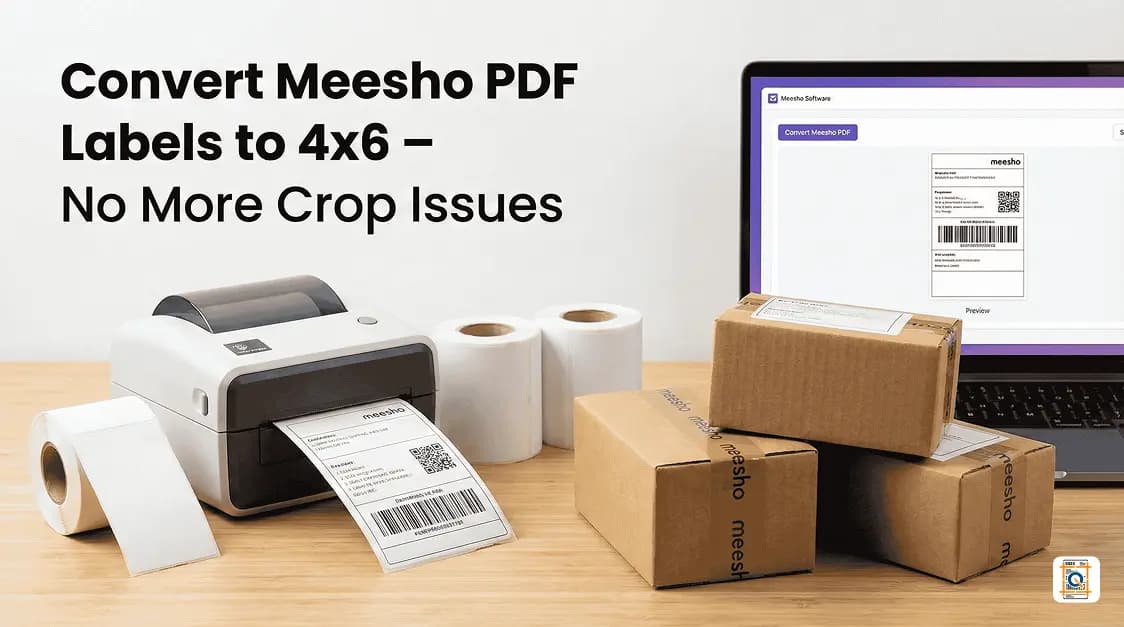
Stop wasting label rolls – get perfectly cropped Meesho 4x6 thermal labels with a single upload.
Introduction: Every Meesho Seller Knows This Pain
If Meesho orders are flowing but label printing is a daily struggle, this is for you.Many sellers hit the same wall: labels download as PDFs, but the moment they are sent to a 4x6 thermal printer, the text is cut off, barcodes don't scan properly, and half the address is missing. The Meesho shipping label crop issue keeps eating time, label rolls, and patience.
Instead of wrestling with Meesho Design Lab or trying random print settings, there is a simpler way: use a dedicated Meesho 4x6 thermal label converter that automatically crops and formats labels correctly for thermal printers.
That is exactly what Q Crop Label is built to do.
Why Meesho Labels Don't Print Correctly on 4x6 Thermal Paper
Most Meesho labels are generated in A4 or non-thermal-friendly formats. A standard Meesho shipping label PDF is typically sized around 210 × 297 mm (A4), while a 4x6 thermal label measures exactly 101.6 × 152.4 mm. That size mismatch is the root cause of almost every printing problem sellers face. When these standard PDFs are sent to a 4x6 thermal printer:- The label gets shrunk or stretched.
- Barcodes can get cut from the sides.
- Customer address sometimes drops off the bottom.
- COD amount or order ID may be too small to read.
Changing printer settings, zoom levels, or margins rarely fixes the issue consistently. What sellers actually need is a clean 4x6 thermal format of the original Meesho label.
A proper workflow should:
- Take the original Meesho PDF.
- Detect exactly where the label content lies.
- Crop it neatly to a 4×6 ratio (101.6 × 152.4 mm).
- Keep the barcode and text sharp and centered.
That is what a Meesho thermal label cropping 4x6 tool does in the background.
Meesho Label Size in MM – What You Need to Know
Understanding the correct label dimensions helps you avoid guesswork at the printer:- Standard Meesho PDF output: 210 × 297 mm (A4 portrait)
- Target 4x6 thermal label size: 101.6 × 152.4 mm (4 inches × 6 inches)
- Minimum barcode safe zone: roughly 25 × 15 mm — barcodes smaller than this often fail to scan under warehouse scanners
- Recommended print resolution: 203 DPI or 300 DPI on most thermal printers (e.g., Xprinter XP-420B or TSC TE210)
When you manually scale an A4 PDF down to 101.6 × 152.4 mm without cropping first, the content shrinks to roughly 48% of its original size, making address text and barcodes extremely difficult to read. Cropping the label area first and then resizing to 4x6 keeps everything at the correct readable scale.
What Is Q Crop Label?
Q Crop Label is a simple, browser-based Meesho label crop tool designed specifically for online marketplace sellers.There is no complex setup, no software to install, and no confusing settings. You just:
- Upload your Meesho PDF label.
- Let the tool auto-detect and crop.
- Download a ready-to-print 4x6 thermal label.
It focuses only on one thing: solving the Meesho shipping label crop issue quickly and correctly.
Step-by-Step: Convert Meesho PDF Labels to 4x6 Thermal Format
Step 1 – Download Your Meesho Shipping Label
- Log in to your Meesho supplier panel.
- Open your pending orders.
- Click to download the PDF shipping label for each order or in bulk.
- Save the PDF file(s) to your computer.
- Make sure you are downloading the original Meesho label, not a screenshot or print preview.
Step 2 – Upload the PDF to Q Crop Label
- Open the Q Crop Label website in your browser.
- On the homepage, you will see a clear section to upload your shipping label PDF.
- Drag and drop your Meesho label PDF or click to choose the file.
- The tool is built around marketplace PDFs, so it understands the usual layout and spacing used in Meesho labels.
Step 3 – Automatic Meesho 4x6 Thermal Label Conversion
Once your file is uploaded, Q Crop Label processes it automatically:
- Detects the exact label area.
- Cuts out unnecessary white space.
- Resizes and reformats to 4x6 thermal label dimensions (101.6 × 152.4 mm).
- Preserves barcode clarity and alignment.
This is effectively a dedicated Meesho 4x6 thermal label converter without any manual tweaking on your side.
Step 4 – Download and Print on Your Thermal Printer
- Click to download the processed label file.
- Open it in your usual PDF viewer.
- Select your thermal printer and set paper size to 4x6 (100 × 150 mm or 101.6 × 152.4 mm depending on your printer driver).
- Print at "Actual Size" or "100%" scale — never use "Fit to Page" as that rescales the content again.
You can now stick the label directly on your Meesho parcel without trimming or reprinting.
How to Convert a Shipping Label to 4x6 – General Tips
Even if you handle labels from multiple platforms, the conversion logic is the same. Here is what works across Meesho, Flipkart, and Amazon labels:- Always start with the original PDF, not a scanned image or screenshot.
- Identify the label's actual content boundary — most marketplace PDFs have 10–20 mm of blank margin around the label.
- Crop to the content boundary first, then resize to 101.6 × 152.4 mm.
- Set your printer driver to 4x6 paper before printing — mismatched paper size settings are the most common reason labels print incorrectly even after conversion.
- Print at 203 DPI minimum for barcodes to scan reliably at courier pickup points.
Q Crop Label handles steps 2 and 3 automatically, which is why it is faster than doing this manually in Adobe Acrobat or any general PDF editor.
Meesho Design Lab vs Dedicated Meesho Label Crop Tool
Many sellers try to fix label size using Meesho Design Lab label size print options, but that often leads to: - Labels still not matching 4x6 paper. - Misaligned barcodes. - Trial-and-error print tests that waste label stickers.A dedicated Meesho label crop tool like Q Crop Label has a single job: take the original Meesho PDF and convert it into a perfectly cropped, thermal-ready 4x6 label.
Common Meesho Shipping Label Crop Issues (And How This Fixes Them)
- **"My barcode is half missing after print."** Happens when original PDF is scaled incorrectly. Cropping ensures the entire barcode is within safe boundaries.-
"Address text becomes too small to read."
Scaling an A4 label onto 4x6 without cropping reduces font size to roughly 48% of the original. Proper conversion keeps text readable. -
"Labels come out with extra white space and tiny content."
Classic scaling issue — cropping removes unused margins.
Q Crop Label is built to handle exactly these Meesho shipping label crop issues automatically.
Why This Tool Works Especially Well for Meesho Sellers
- Built with marketplace shipping labels in mind. - Saves time for sellers with bulk orders. - Reduces returned parcels caused by unreadable or half-printed labels. - Helps maintain a professional packing experience for customers.If you ship with a thermal printer and handle Meesho orders daily, a reliable Meesho 4x6 thermal label converter quickly becomes an essential part of your packing routine.
Who Should Use This Tool?
- New Meesho sellers who are tired of manual resizing. - Established sellers moving from inkjet to 4x6 thermal printers. - Small teams that want to standardize the packing process. - Anyone searching for the best free Meesho label crop tools online to simplify dispatch.Frequently Asked Questions
Q: What is the Meesho label size in mm?
A: The Meesho shipping label PDF is generated in A4 format, which is 210 × 297 mm. The actual label content area within that PDF is designed to be printed on a 4x6 thermal label, which measures 101.6 × 152.4 mm. To print correctly, you need to crop the A4 PDF down to that 101.6 × 152.4 mm area before printing.
Q: How do I convert a shipping label to 4x6?
A: Upload the original PDF to Q Crop Label. The tool automatically detects the label content area, crops out blank margins, and outputs a file sized to 101.6 × 152.4 mm (4 inches × 6 inches). Then print at "Actual Size" or "100%" on your thermal printer set to 4x6 paper.
Q: Can I convert labels from platforms other than Meesho to 4x6?
A: Yes. Q Crop Label works with shipping label PDFs from most Indian marketplaces. The crop and resize logic applies the same way — detect content, remove blank space, and output at 101.6 × 152.4 mm.
Q: Why does my barcode not scan after printing on a 4x6 thermal printer?
A: The most common reason in 2026 is incorrect scaling. If the PDF is scaled using "Fit to Page" instead of "Actual Size," the barcode shrinks below the minimum scannable size (roughly 25 × 15 mm). Converting with Q Crop Label and printing at 100% scale keeps the barcode at its correct dimensions.
Q: Does Q Crop Label charge any fee to convert Meesho labels?
A: Q Crop Label offers free label conversion for standard use. There are no hidden per-label fees. Check the pricing page on the site for details on any premium batch-processing plans available in 2026.
Frequently Asked Questions
What is the Meesho label size in mm?
The Meesho shipping label PDF is generated in A4 format, which is 210 × 297 mm. The actual label content area within that PDF is designed to be printed on a 4x6 thermal label, which measures 101.6 × 152.4 mm. To print correctly, you need to crop the A4 PDF down to that 101.6 × 152.4 mm area before printing.
How do I convert a shipping label to 4x6?
Upload the original PDF to Q Crop Label. The tool automatically detects the label content area, crops out blank margins, and outputs a file sized to 101.6 × 152.4 mm (4 inches × 6 inches). Then print at 'Actual Size' or '100%' on your thermal printer set to 4x6 paper.
Can I convert labels from platforms other than Meesho to 4x6?
Yes. Q Crop Label works with shipping label PDFs from most Indian marketplaces. The crop and resize logic applies the same way — detect content, remove blank space, and output at 101.6 × 152.4 mm.
Why does my barcode not scan after printing on a 4x6 thermal printer?
The most common reason in 2026 is incorrect scaling. If the PDF is scaled using 'Fit to Page' instead of 'Actual Size,' the barcode shrinks below the minimum scannable size (roughly 25 × 15 mm). Converting with Q Crop Label and printing at 100% scale keeps the barcode at its correct dimensions.
Does Q Crop Label charge any fee to convert Meesho labels?
Q Crop Label offers free label conversion for standard use. There are no hidden per-label fees. Check the pricing page on the site for details on any premium batch-processing plans available in 2026.
About Q Crop Label
Q Crop Label helps 100,000+ Indian e-commerce sellers optimize their shipping workflow. We write about thermal printing, label management, and practical tips to help Amazon, Meesho, and Flipkart sellers save time and money on every order.