
Meesho Label Crop Tool
A4 → 4×6 Thermal
Q Crop Label is a free, browser-based Meesho shipping label crop tool that converts A4 PDFs into clean 4×6 inch thermal labels.
Need to Remove Pages or Crop Manually?
Click below to use our advanced tool to remove pages from the PDF or to crop specific areas.
Upload your PDFs
Drag & drop or click anywhere in this box to upload
Output Options
Keep Invoice
Include tax invoice page
Add Picklist
Add product summary sheet
Merge PDF
Single file for all labels
Sorting Engine
Original Order
Keep uploaded file order
Sort by Product
Alphabetical product sort
Sort by Qty
Order by item quantity
Sort by Courier
Order by courier partner
What is the Meesho Shipping Label Crop Tool?
Meesho's Supplier Panel exports shipping labels as A4 PDFs. This tool crops them to 4×6 inch size for thermal printers.
Cropping labels keeps your dispatch fast — but fast dispatch only pays off if each order is actually profitable. Before you price your catalog, check your real margin with our free Meesho Profit Calculator, which factors in commission, GST, shipping and returns.
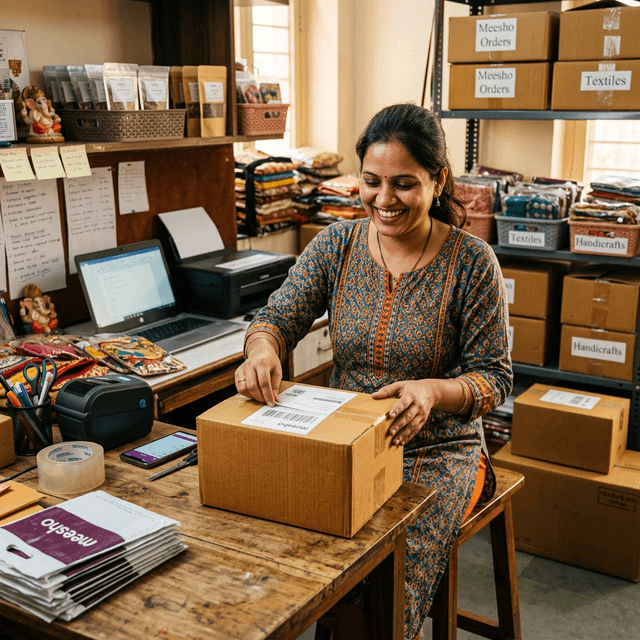
What's on a Meesho Shipping Label PDF
A Meesho Supplier Panel download bundles several things onto one A4 page: the courier AWB barcode, a QR code, the buyer address, the SKU and quantity block, and — for bulk downloads — one of these sets per order, stacked across dozens of pages. A thermal printer only needs the label block itself, at 4×6 inch (100 × 150 mm). Printing the raw A4 file either shrinks that block until the barcode is unreadable, or wastes a full sticker on white margin. This tool finds the real label boundary on every page and crops to it automatically, whether you downloaded one order or a full day's batch.
Sort Labels by Courier Partner
Meesho routes orders through several courier partners on the same day — Xpress Bees, Valmo, Shadowfax, Delhivery, Ecom Express, and Ekart all show up mixed together in a single bulk label PDF. Handing a courier partner a stack of labels for every other courier too slows down pickup and makes it easy to misplace a parcel. Turn on Sort by Courier before processing and this tool groups every label by the courier that will actually pick it up, so you can hand each partner exactly their stack at dispatch time.
Why Meesho Labels Print Oversized (or Too Small)
- "Fit to page" scaling. Sending the full A4 sheet to a 4×6 roll and letting the printer shrink it makes the QR code and barcode too small to scan reliably at pickup.
- Layout changes. Meesho periodically updates the Supplier Panel label design, so a manually saved crop box from a previous month can clip the address or barcode on today's labels.
- Bulk batches vary page to page. A multi-order PDF doesn't always place the label in the exact same spot on every page, especially with mixed single- and multi-item orders.
Detecting the label by its content — rather than a fixed coordinate — is what keeps the crop accurate across all of these cases.
How to Crop a Meesho Shipping Label to 4×6 (Step by Step)
- In the Meesho Supplier Panel, go to your orders and download the shipping label PDF (single order or bulk batch).
- Drag the PDF into the upload box above — everything is processed locally in your browser, so order data never leaves your device.
- Turn on Add Picklist if you want a packing summary sheet, or Merge PDF to combine every cropped label into one file.
- Download the result — each page is now a clean 4×6 label with the QR code, barcode, and address inside the safe area.
- Print at 100% / Actual Size with paper size set to 100 × 150 mm, not "Fit to page."
Meesho Label Crop — Frequently Asked Questions
Does this work with the new Meesho Supplier Panel label layout?
Yes. Meesho updates its label format periodically, and this tool detects the label region by content rather than fixed coordinates, so it stays accurate whenever Meesho changes the layout.
Will cropping affect the QR code or barcode scan?
No. Cropping only trims the surrounding white space and any extra pages; it does not resize or recompress the QR code or barcode, so they scan exactly as well as the original PDF.
Can I crop labels from a bulk Meesho order download?
Yes. Upload the full multi-order PDF from your Supplier Panel and every label inside is detected and cropped individually — there is no per-file or daily limit, which matters during Mega Blockbuster Sale volumes.
Does it add a picklist for packing?
Yes. Turn on "Add Picklist" before processing to generate an extra summary page listing every product and quantity in the batch, so your packing team can pull items without opening each label.
Also Available for Other Platforms
We support all major e-commerce platforms in India