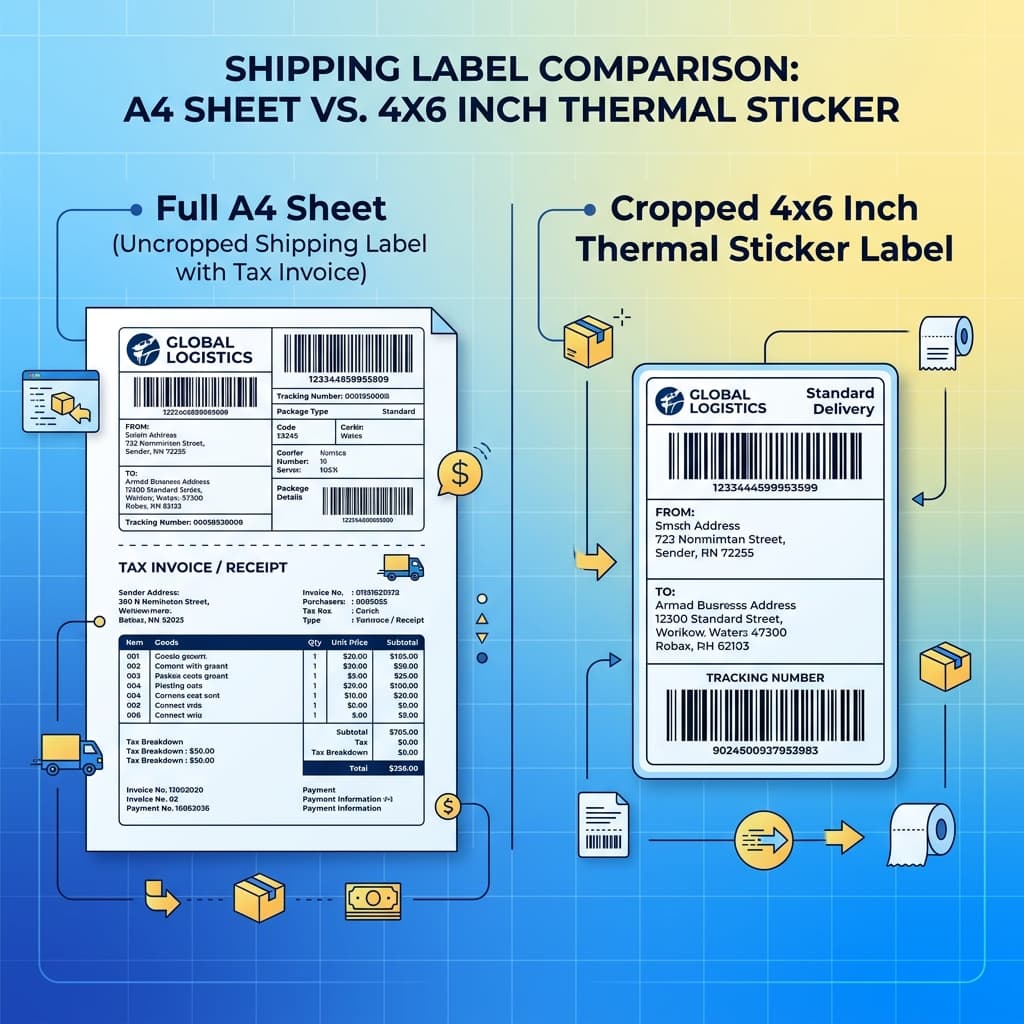
Flipkart's 2026 shipping label looks different from what sellers were used to. Here's a clear, side-by-side comparison of the old and new formats — and what it means for your Flipkart shipping label crop settings.
Whichever format you have, our free Flipkart label crop tool crops it to a clean 4x6 thermal label — it works on both the old and the new layout.
Two Labels, One Confused Packing Table
If you handle Flipkart orders daily, you may have both formats floating around right now — older saved PDFs in the old layout, and fresh downloads in the new one. Knowing the difference helps you understand why your crop suddenly behaves differently and why you need a reliable Flipkart label crop tool.
Both versions share the same building blocks — an E-Kart Logistics header, the Flipkart mark, an AWB barcode, a QR code, the shipping/customer address, a SKU & description block, a dashed cut line, and a Tax Invoice section below with product, IGST, CESS, taxable value, and the authorized signature. What changed is how they're arranged and sized.
Old Format vs New Format
| Aspect | Old Flipkart Label | New 2026 Flipkart Label |
|---|---|---|
| Overall layout | Label + invoice, tighter spacing | Label + invoice, revised spacing & proportions |
| Label block position | Fixed, predictable | Shifted — breaks old fixed crop boxes |
| SKU / description area | Compact | Cleaner block that expands for multi-item orders |
| Invoice section height | One familiar height | Different height, affecting "top-half" crops |
| Thermal cropping | Old presets worked | Old presets clip barcode/address |
The takeaway: the content is the same, but every seller who cropped using fixed measurements now gets misaligned prints because the positions moved. To avoid errors, you should convert Flipkart A4 label to 4x6 using an automatic converter.
Why the Change Matters for Thermal Printing
A 4x6 thermal sticker has no margin to spare. When the label block moves even a little:
- A fixed crop box catches the edge of the barcode or clips the QR code.
- "Print top half of the page" now slices through the address.
- Multi-item orders (taller SKU block) break differently than single-item orders.
This is why the same steps that worked last month can fail today — the label didn't get worse, it just moved. To print without cutting, you should crop Flipkart shipping labels online using a dedicated Flipkart PDF label cutter.
The Format-Proof Solution: Crop by Content, Not Coordinates
The cleanest way to handle both the old and new layouts is to stop relying on saved crop boxes and let a tool detect the label area automatically. Q Crop Label acts as a smart Flipkart 4x6 label converter that reads the PDF, finds where the shipping label ends and the invoice begins, and outputs a clean 4x6 thermal label — for either format.
Here is how to crop Flipkart shipping label in one click:
- Download the shipping label from Flipkart Seller Hub.
- Upload it to Q Crop Label.
- Select Flipkart as your marketplace template and click Crop.
- Download and print the cropped label at 100% / Actual Size.
Because it detects content, it works for old PDFs, new PDFs, single-item, and multi-item orders — and it'll keep working through the next layout tweak too.
Seller Takeaways
- The new Flipkart label has the same information, just a new arrangement.
- Fixed crop boxes and "fit to page" break with the new positions.
- Content-based cropping is format-proof — one workflow for every order.
Stop maintaining crop presets for each Flipkart update. Run every label — old or new — through Q Crop Label to crop Flipkart shipping labels online and get a perfect 4x6 thermal print every time, free and without signup.
About Q Crop Label
Q Crop Label helps 100,000+ Indian e-commerce sellers optimize their shipping workflow. We write about thermal printing, label management, and practical tips to help Amazon, Meesho, and Flipkart sellers save time and money on every order.