Tired of struggling with Amazon PDF labels? Learn the fastest way to perform an amazon label crop and crop amazon label with SKU for 4x6 thermal printing. Best of all, it's 100% free!
Introduction: The Amazon Label Layout Problem
Every Amazon seller in India faces a daily operational bottleneck: you generate a package or shipping label from Amazon Seller Central, and it downloads as an A4 page.
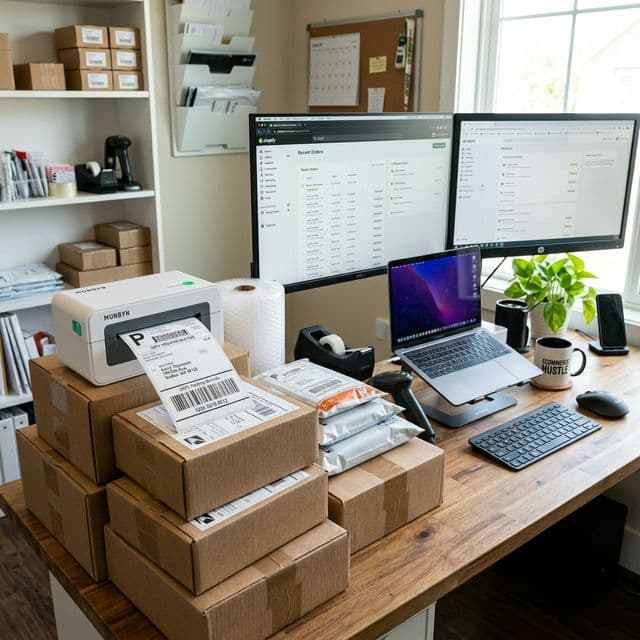
If you are using a compact 4x6 thermal printer (like TSC, Xprinter, or Rollo), printing an A4 page directly is impossible. Either:
- The content scales down, making the text and barcode tiny and illegible.
- The barcode prints cut-off from the edges, causing package rejections.
- You have to waste precious minutes manually cropping the label using a snipping tool or PDF editor.
To run a fast, error-free packing station, you need a dedicated tool to do an amazon label crop automatically.
The Ultimate Solution: Amazon Label Crop with SKU
When shipping orders from Amazon FBA or Easy Ship, having the product SKU printed clearly on the label is a lifesaver. It helps your packing staff match the label to the correct product instantly without having to scan the barcode or check the invoice.
With Q Crop Label, you can do an amazon label crop with SKU seamlessly:
- Keep Product Identifiers: The tool automatically detects and retains the SKU and product name on the cropped 4x6 label.
- Bulk Processing: Upload 100+ pages of Amazon shipping labels at once, and crop them in a single click.
- No Barcode Distortion: Q Crop Label keeps the barcodes in vector format, ensuring they print crisp, sharp, and 100% scannable at dispatch.
Why Default Print Settings Fail for Amazon Labels
Many sellers attempt to work around this using basic printer options like "Fit to Page" or custom margins. However:
- Barcode Scaling: Grayscale or scaled-down barcodes lose contrast. Courier partners like Delhivery, Blue Dart, and Amazon Logistics will reject packages with unscannable barcodes.
- Wasted Label Rolls: Misaligned test prints waste expensive thermal stickers.
- Slow Operations: You can't scale your business to 100+ orders a day if your staff is manually cropping each PDF page.
Step-by-Step Guide to Crop Amazon Labels in 4x6 Format
Here is how easy it is to perform an amazon label crop on our platform:
Step 1: Download Labels from Amazon Seller Central
Go to your shipment workflow or order management tab and download the shipping labels PDF.
Step 2: Drag & Drop to Q Crop Label
Open Q Crop Label in your browser. Drag and drop your downloaded Amazon PDF file.
Step 3: Select the "Amazon" Template
Our tool will auto-detect the layout. Make sure the Amazon platform option is selected. This enables both the standard crop and the amazon label crop with SKU detection.
Step 4: Download & Print
Click "Crop" and download your formatted PDF. Send it to your 4x6 thermal printer at 100% scale (Actual Size).
100% Free of Cost — No Subscriptions, No Hidden Fees
While other label cropping tools and Chrome extensions charge ₹300 to ₹1000 per month for basic cropping and SKU extraction, Q Crop Label is completely free of cost.
Save your profits for your business and use our tool free forever, with no registration or credit card required!
About Q Crop Label
Q Crop Label helps 100,000+ Indian e-commerce sellers optimize their shipping workflow. We write about thermal printing, label management, and practical tips to help Amazon, Meesho, and Flipkart sellers save time and money on every order.