This is not a technical guide – this is exactly how I solved my Meesho label printing headache as a small seller.
My Daily Meesho Packing Problem
When I started selling on Meesho, packing orders felt exciting.
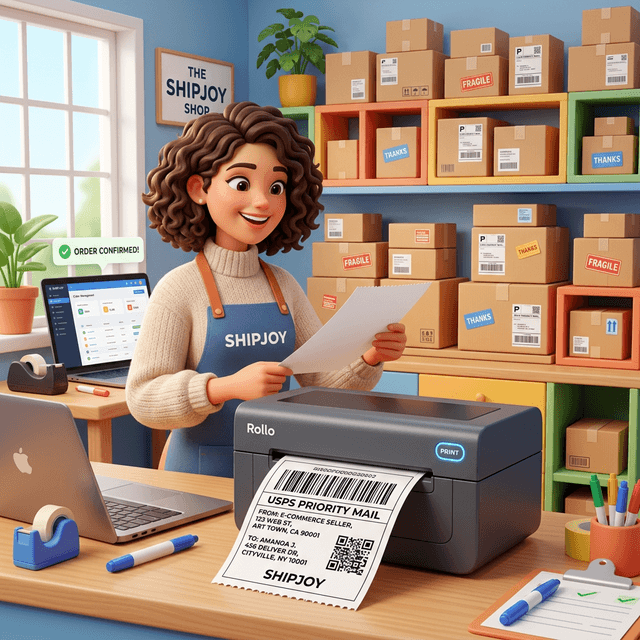
But after moving to a 4x6 thermal printer, things became messy.
Every day:
- Barcode used to get cut
- Address looked too small
- Half label printed outside sticker
- 2–3 labels wasted per order
At first I thought printer problem che. Then I blamed Meesho PDFs.
Reality was simple — Meesho labels are NOT made for thermal printers.
They come in A4 style layout.
Thermal printers need clean 4x6.
What I Tried Before Finding a Solution
Like most sellers, I tried everything:
- Changed printer paper size
- Played with margins
- Used “Fit to Page”
- Tried Meesho Design Lab
- Even opened PDFs in editors
Sometimes it worked.
Next order again failed.
It became frustrating.
Staff also kept asking:
“Bhai aaje kaunse settings?”
That’s when I searched for a proper Meesho 4x6 label crop tool.
How Q Crop Label Changed My Workflow
I found Q Crop Label while searching online.
Honestly, I didn’t expect much.
But process was simple:
- Download Meesho label PDF
- Upload to Q Crop Label
- Download converted file
- Print at 100%
That’s it.
No resize.
No guessing.
Barcode came perfect.
Address clear.
Sticker fit exactly on 4x6 roll.
First day itself, zero wasted labels.
Why This Works Better Than Manual Printing
Earlier I was scaling A4 into 4x6.
That shrinks everything.
Q Crop Label actually:
- Crops real label area
- Removes white margins
- Keeps barcode inside safe zone
- Centers content for thermal paper
So printer doesn’t struggle.
Now packing feels professional.
Real Benefits I Noticed
After switching:
- Label waste reduced
- Packing speed increased
- No courier barcode complaints
- Team stopped asking settings
- Dispatch became predictable
Small change – big peace of mind.
My Advice to New Meesho Sellers
If you are:
- Printing on 4x6 thermal
- Facing cut labels
- Reprinting again & again
Don’t fight printer settings daily.
Just convert Meesho PDF once properly.
It saves time, money and mental energy.
Final Thoughts
Selling on Meesho already has enough challenges – sourcing, pricing, RTO, ads.
Label printing should not be one of them.
For me, using a proper Meesho 4x6 thermal label converter fixed a problem I was fighting for weeks.
Sometimes simple tools make the biggest difference.
If you pack orders daily, you’ll understand 🙂
About Q Crop Label
Q Crop Label helps 100,000+ Indian e-commerce sellers optimize their shipping workflow. We write about thermal printing, label management, and practical tips to help Amazon, Meesho, and Flipkart sellers save time and money on every order.