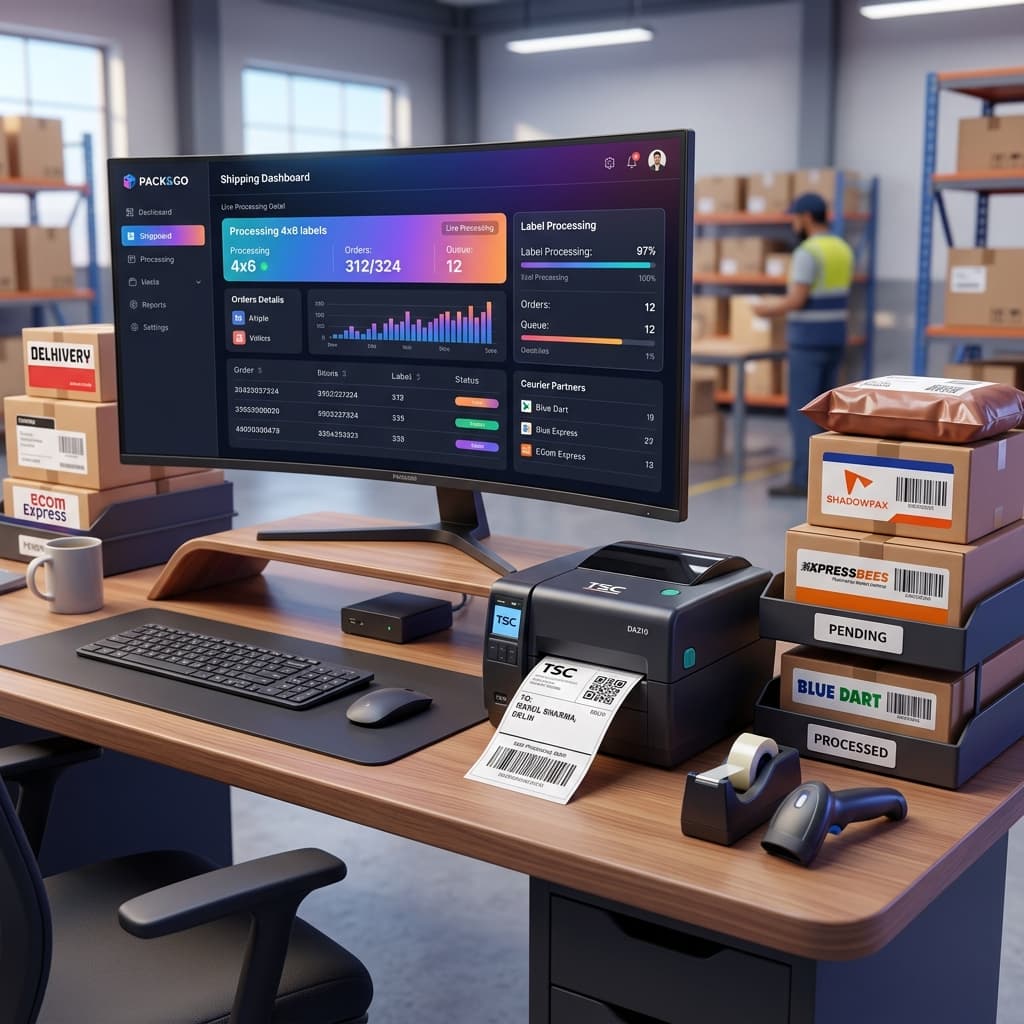
Struggling with packing speed on Meesho? Discover how you can now sort your Meesho shipping labels by courier partner and crop them to 4x6 thermal format automatically. Best of all, this service is 100% free of cost on Q Crop Label!
Introduction: The Operational Headache of Meesho Sellers
Selling on Meesho is one of the most profitable ways to build an e-commerce business in India. With zero commission charges and access to millions of active buyers, order volumes can skyrocket overnight.
However, as order volumes grow, operational efficiency becomes a bottleneck. After downloading bulk shipping label PDFs from the Meesho supplier panel, two major challenges arise:
- The Layout Issue: Meesho labels are generated in A4 layout, making them incompatible with standard 4x6 thermal printers.
- The Sorting Issue: Parcels must be handed over to different courier partners (like Delhivery, Shadowfax, Xpressbees, etc.). Searching and grouping printed labels or parcels manually by courier partner takes hours and leads to human errors.
Today, we are thrilled to announce a game-changing new functionality: Meesho Label Sorting by Courier Partner & Bulk Cropping—available entirely free of cost on Q Crop Label!
What is Courier-Wise Sorting & Label Cropping?
When you receive orders on Meesho, they are assigned to various courier partners depending on the buyer's location. Typically, Meesho packages these into a single bulk PDF.
Earlier, you had to crop the labels, print them all, and then manually read each label to sort packages into different piles for each courier pickup.
With our new update, Q Crop Label does the heavy lifting for you:
- Auto-Detects Courier Partners: The tool scans your bulk Meesho PDF and identifies the courier partner (e.g.,
Delhivery,Xpressbees,Shadowfax,Ekart, etc.) for each label. - Groups & Sorts: It automatically rearranges the labels, grouping all
Delhiverylabels together, allXpressbeeslabels together, and so on. - Crops to Perfect 4x6: It crops out the unnecessary margins and formats each label into a crisp 4x6 layout ready for thermal stickers.
- Downloads Sorted PDFs: You get your cropped labels pre-sorted, so they print in order! You can print and pack all
Delhiveryorders first, thenShadowfax, etc. This makes handovers incredibly smooth and eliminates handover errors.
Warning: Why You Shouldn't Pay for Label Croppers in the Market
If you search the market, you will find many third-party software tools, Chrome extensions, and paid subscription plans charging high monthly fees (ranging from ₹299 to ₹999+ per month) to crop and sort marketplace labels.
Many sellers fall into the trap of paid plans just to perform basic cropping and sorting.
Here is the good news: Q Crop Label is, and will always be, 100% FREE OF COST.
- No Monthly Subscriptions: Crop and sort as many labels as you need without paying a single rupee.
- No Signup or Registration Required: You don't need to share your mobile number, email, or seller panel password. Just upload and convert.
- No Credit Card Required: Zero payment setup, zero hidden fees.
- 100% Secure: Your PDFs are processed directly in your browser. We do not store or read your customer data on our servers.
We believe that small and medium e-commerce sellers in India shouldn't have to pay a premium for basic operational efficiency. Save your hard-earned profits and invest them in inventory or ads instead! And to make sure every order is actually profitable, check your margins with our free Meesho Profit Calculator before you price your catalog.
Step-by-Step Guide: How to Sort and Crop Meesho Labels
Using the new sorting functionality on Q Crop Label is incredibly simple:
Step 1: Download Bulk Labels from Meesho
Log in to your Meesho Supplier Panel, navigate to your pending orders, and download the bulk shipping labels PDF.
Step 2: Upload to Q Crop Label
Go to Q Crop Label and drag-and-drop your Meesho label PDF into the upload area.
Step 3: Choose "Sort by Courier" Option
Select the Meesho template option. Toggle or select the "Sort by Courier Partner" feature.
Step 4: Crop & Download
Click on the Crop Label button. In just a few seconds, our system will process your file and generate a download link.
Step 5: Print & Pack
Open the downloaded PDF and print on your 4x6 thermal printer at 100% scale. Because the labels are pre-sorted by courier partner, your packing staff can pack and keep parcels grouped by courier automatically as they print.
Benefits of Courier-Wise Sorted Labels
By using pre-sorted thermal labels, you instantly upgrade your warehouse or packing operations:
- 5x Faster Packing: No more scanning through piles of packed boxes to see which ones belong to
DelhiveryorXpressbees. - Zero Handover Disputes: Easily hand over the correct pile of boxes to the matching courier pickup agent.
- Reduced RTO: Clear, crisp thermal barcodes prevent courier scan errors, ensuring faster transit times and lower Return to Origin rates.
- Zero Wasted Paper: Perfectly formatted labels mean zero sticker rolls are wasted on misaligned print trials.
Start Streamlining Your Meesho Business Today
Why spend hours sorting papers or paying expensive monthly fees for paid software? Switch to Q Crop Label today and experience premium, automated shipping label cropping and sorting for absolutely free.
Streamline your dispatch desk, speed up your handovers, and save money with every single order!
About Q Crop Label
Q Crop Label helps 100,000+ Indian e-commerce sellers optimize their shipping workflow. We write about thermal printing, label management, and practical tips to help Amazon, Meesho, and Flipkart sellers save time and money on every order.